


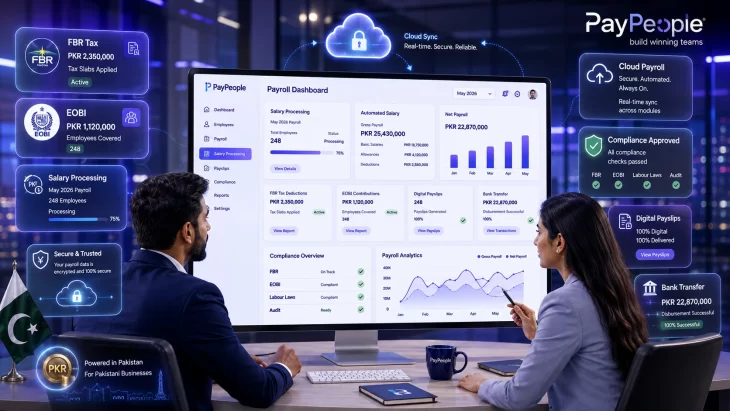
Payroll software in Pakistan automates monthly salary calculations, FBR income tax withholding under Section 149, EOBI/SESSI contributions, and bank-file generation. Cloud-based systems like PayPeople start at Rs 400 per employee per month and can cut payroll processing time from 3 days to under 4 hours for a 100-person company.
Every month, roughly 4 million registered employers in Pakistan must calculate salaries, withhold income tax at the correct FBR slab rate, deduct EOBI contributions, and transfer the net amount into each employee’s bank account — all before the 7th of the following month, as required by the Payment of Wages Act 1936.
Most companies under 200 employees do this in Excel. It works until the government changes the tax slabs (which happens almost every budget cycle), or until an employee disputes a deduction, or until the FBR sends an enquiry about why the withholding amounts do not match the return filed under Section 149 of the Income Tax Ordinance 2001.
Payroll software eliminates these risks by automating the calculations, applying the latest rates, and generating bank-ready files and compliant payslips in one click. This guide covers the specific compliance requirements that Pakistani payroll software must handle, the current FBR tax slabs, a worked payroll calculation, and what to look for when choosing a system.
Under the Finance Act 2025, the following progressive tax slabs apply to salaried persons for the tax year ending June 30, 2026. Your employer is legally required to withhold this amount from your monthly salary under Section 149 of the Income Tax Ordinance 2001.
For the latest tax slabs and official circulars, refer to the Federal Board of Revenue (FBR) website
| Annual Taxable Salary | Tax Rate | Monthly Impact (approx.) |
| Up to Rs 600,000 | 0% | Rs 0 / month |
| Rs 600,001 – Rs 1,200,000 | 1% of amount exceeding Rs 600,000 | Rs 0 – 500 / month |
| Rs 1,200,001 – Rs 2,200,000 | Rs 6,000 + 11% of amount exceeding Rs 1,200,000 | Rs 500 – 9,667 / month |
| Rs 2,200,001 – Rs 3,200,000 | Rs 116,000 + 23% of amount exceeding Rs 2,200,000 | Rs 9,667 – 28,833 / month |
| Rs 3,200,001 – Rs 4,100,000 | Rs 346,000 + 30% of amount exceeding Rs 3,200,000 | Rs 28,833 – 51,333 / month |
| Above Rs 4,100,000 | Rs 616,000 + 35% of amount exceeding Rs 4,100,000 | Rs 51,333+ / month |
Note: The Finance Act 2026-27 (effective July 1, 2026) proposes further rate reductions in several brackets. Verify the applicable rates with your tax advisor or check the FBR website at fbr.gov.pk. PayPeople’s payroll module updates these slabs automatically each Finance Act cycle.
Under the Employees’ Old-Age Benefits Act 1976, every establishment with 5 or more employees must register with EOBI and contribute monthly. The calculation is based on the government-notified minimum wage, not the employee’s actual salary.
| Contribution | Rate | Base | Monthly Amount | Paid By |
| EOBI Employer Share | 5% | Min Wage (Rs 37,000) | Rs 1,850 | Employer |
| EOBI Employee Share | 1% | Min Wage (Rs 37,000) | Rs 370 | Employee (deducted) |
| PESSI (Punjab) | 6% | Min Wage | Rs 2,220 | Employer |
| SESSI (Sindh) | 6% | Min Wage | Rs 2,220 | Employer |
Important: EOBI applies to all employees regardless of salary. A software engineer earning Rs 300,000/month and a driver earning Rs 40,000/month both have the same EOBI contribution calculated on minimum wage. This is one of the most common mistakes companies make when doing EOBI calculations manually — they apply the percentage to the actual salary instead of the minimum wage.
Let us walk through the exact calculation that payroll software performs automatically. This is the kind of calculation your HR team does by hand in Excel — and where errors creep in.
Gross Salary: Rs 80,000/month (Rs 960,000/year)
Location: Lahore, Punjab
Tax Status: Salaried filer
Annual taxable salary: Rs 960,000
This falls in Slab 2: Rs 600,001 – Rs 1,200,000
Tax = 1% of (Rs 960,000 − Rs 600,000) = 1% of Rs 360,000 = Rs 3,600/year
Monthly tax withholding: Rs 300
Employee share: 1% of Rs 37,000 (minimum wage) = Rs 370/month
Employer share: 5% of Rs 37,000 = Rs 1,850/month (not deducted from salary — employer cost)
Employer pays 6% of minimum wage = Rs 2,220/month (not deducted from employee salary)
| Component | Amount | Who Pays |
| Gross Salary | Rs 80,000 | Employer |
| Less: FBR Income Tax Withholding | (Rs 300) | Deducted from employee |
| Less: EOBI Employee Share | (Rs 370) | Deducted from employee |
| Net Take-Home Salary | Rs 79,330 | |
| Employer’s Additional Cost: | ||
| EOBI Employer Share | Rs 1,850 | Employer pays directly |
| PESSI (Punjab) | Rs 2,220 | Employer pays directly |
| Total Cost-to-Company | Rs 84,070 |
This is one employee. Now multiply it by 80, factor in overtime, bonuses, advances, loan deductions, and leave encashment — and you start to understand why doing payroll in Excel past 25 employees is a recipe for errors.
The worked example above shows a straightforward case. Real payroll is messier. Here is what the software automates that a spreadsheet does not:
Mid-month joiners and leavers: Pro-rates salary automatically based on actual working days. No more manual formula adjustments.
Retroactive salary revisions: If a raise is approved in September but effective from July, the system recalculates two months of back-pay and tax differentials in one step.
Overtime across shift patterns: Pulls hours directly from the attendance module — no re-entry needed. Applies the correct overtime rate (double time for factory workers under the Factories Act 1934, or whatever your policy specifies).
Bank file generation: Exports salary disbursement files in the exact CSV/Excel format required by HBL, Meezan Bank, UBL, Bank Alfalah, and others. Your finance team uploads one file to the bank portal instead of manually entering each transfer.
WhatsApp payslip delivery: Digital payslips sent to each employee’s WhatsApp or email with a full breakdown of earnings, deductions, and tax withheld. No more printing paper slips or fielding queries about ‘where is my payslip.’
Year-end tax certificates: Generates Section 149 withholding certificates and annual salary tax summaries that employees need to file their FBR returns.
Day 1-3: Audit your current Excel payroll sheets. Verify employee IDs, CNIC numbers, bank account details, and EOBI registration numbers match your official records. This step catches 80% of migration problems before they happen.
Day 4-7: Import employee master data into PayPeople using the bulk upload tool (CSV or Excel). Configure company-level settings: FBR tax slabs, EOBI contribution rates, PESSI/SESSI rules, pay cycle dates, and bank file formats.
Week 2-3: Run a parallel payroll. Process one month’s salaries in both Excel and PayPeople simultaneously. Compare the outputs line by line — gross salary, tax withholding, EOBI deduction, and net pay should match to the rupee. If they do not, the discrepancy reveals a formula error in either your Excel sheet or the software configuration.
Week 4: Go live. Generate bank files from the software, send payslips via WhatsApp/email, and retire the Excel sheet. Keep it archived for one year as a backup reference.
| Tier | What Is Included | Price (PKR/emp/mo) | Best For |
| Core Payroll | FBR tax, EOBI auto-calc, payslips, bank-file export | From Rs 400 | Small teams <30 |
| Payroll + Attendance | Core Payroll + biometric sync + overtime + shift management | Rs 500 – 700 | SMEs 30-200 |
| Full Suite | All modules + AI ATS + Performance + LMS + API access | Custom quote | 200+ employees |
For a 60-person company on the Payroll + Attendance tier at Rs 600/employee, the monthly cost is Rs 36,000. Compare that to the potential cost of a single FBR penalty for under-withholding across your entire staff for a quarter — the software pays for itself in the first compliance cycle.
PayPeople projects each employee’s annual salary based on their current monthly gross, applies the correct FBR slab rate, and divides the annual liability by 12 to determine the monthly withholding. If the employee receives a mid-year increment, the system recalculates the remaining months automatically.
PayPeople updates the tax slab configuration after each Finance Act. For the transition period (typically July each year), the system handles the split calculation — applying the old rates to the pre-July months and the new rates from July onward — so your annual reconciliation balances correctly.
Yes. You configure PESSI (Punjab), SESSI (Sindh), KP social security, and Balochistan ESSI rules at the company or branch level. Employees are auto-assigned the correct provincial rate based on their registered work location.
PayPeople’s payroll and attendance modules share the same database. When you run payroll, the system pulls each employee’s actual working days, late deductions, and overtime hours from the attendance logs — no manual data entry or CSV imports needed. Read the full attendance software guide for details on biometric setup.
Digital payslips are generated in PDF format with a full breakdown of earnings, deductions, and tax withheld. They can be delivered instantly via WhatsApp, email, or through the employee self-service portal where staff can download current and historical payslips anytime.
PayPeople uses bank-grade encryption, role-based access controls, and automated daily backups. Only authorised users (HR heads, finance managers) can access compensation data. The platform offers local data residency for Pakistani clients who require it.
Request a demo: paypeople.pk/book-a-demo
WhatsApp: +92 300 0800498
Email: sales@paypeople.pk
Office: 384-E, Ali Center Plaza, 1st Floor, Johar Town, Lahore
Asia Aziz, Hr Operation Manager at PayPeople — Pakistan-built cloud HR, Payroll and Attendance software for SMEs and enterprises. Native handling of EOBI, SESSI/PESSI contributions and FBR salary-tax slabs, with PKR billing and local data residency.