


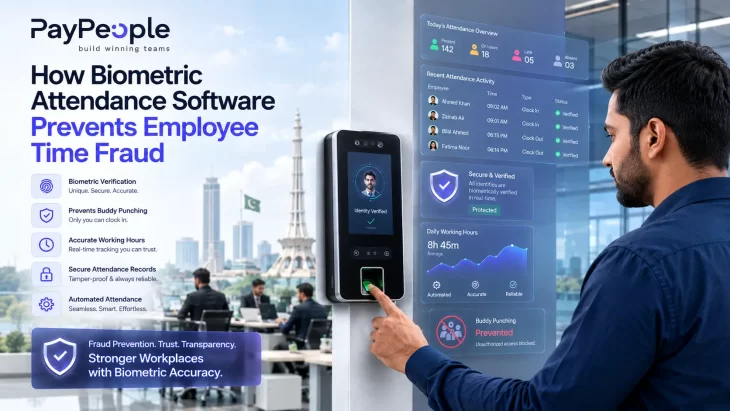
Quick answer: Biometric attendance software prevents employee time fraud by tying every clock-in and clock-out to a unique, unshareable physical trait — a fingerprint, face, or iris pattern — instead of a card, PIN, or signature that can be handed to a colleague. Because the system can only verify the actual person standing in front of it, it eliminates buddy punching at the source, while GPS geofencing, automated shift rules, and centralized reporting close the other common loopholes: time padding, ghost employees, break abuse, and inflated overtime claims.
Employee time fraud is any deliberate misrepresentation of hours worked that results in an employee being paid for time they didn’t actually work. It’s easy to underestimate because it rarely looks dramatic — it’s a colleague swiping a card for a friend who’s running late, a few extra minutes added to a shift here and there, or an overtime claim that’s slightly rounded up. Individually, these look trivial. Across a workforce of hundreds, tracked over months, they compound into a real payroll cost and a real fairness problem for employees who do clock in and out honestly.
For Pakistani businesses running manual registers, punch cards, or basic PIN-based systems, time fraud isn’t a hypothetical risk — it’s a structural weakness of the system itself. Any attendance method that authenticates a card or code rather than a person is, by design, vulnerable to being used by someone other than the employee it belongs to.
Not all time fraud looks the same, and not all of it is solved by the same feature. Understanding the distinct categories makes it much easier to evaluate whether a given attendance system actually closes the gap you’re worried about.
This is the most familiar form: one employee clocks in (or out) on behalf of another, usually to cover a late arrival, an early departure, or a full absence. It requires nothing more than a shared card, PIN, or — in manual registers — someone else signing the sheet.
An employee arrives a few minutes early or leaves a few minutes late from the system’s perspective, without actually starting or ending work at that time — clocking in, then getting coffee or settling in before the shift truly begins, then clocking out only after visibly leaving. On its own it’s a few minutes; multiplied across a shift roster, it becomes measurable unpaid-for-work-not-done.
A more serious variant: attendance and payroll records exist for a person who either doesn’t work at the company anymore, doesn’t show up regularly, or in the worst cases doesn’t exist at all — with someone internally still marking them present and drawing their salary. This is far more common in organizations with manual or loosely audited attendance processes, especially across multiple sites or shifts where no single supervisor sees the full picture.
Breaks that stretch well beyond policy — 15-minute tea breaks that become 40 minutes, lunch hours extended without being logged as such — are rarely captured at all in manual systems, since there’s no independent record of when a break actually started or ended.
Because overtime pay is calculated at a premium rate, it’s a common target for manipulation: claiming hours that were never approved, rounding start/end times in the employee’s favor, or having a supervisor “adjust” a colleague’s overtime as a favor. Manual registers make this almost impossible to audit after the fact.
Biometric attendance software doesn’t solve time fraud with a single feature — it closes each of the loopholes above with a specific, purpose-built mechanism.
Buddy punching → biometric identity verification. A fingerprint, face scan, or iris pattern cannot be lent to a colleague the way a card or PIN can. The system checks a live scan against a stored, encrypted template at the moment of clock-in; if the person in front of the device doesn’t match the person on record, the attendance simply isn’t logged. This is the single biggest reason biometric systems outperform card- or PIN-based alternatives for fraud prevention specifically.
Time padding → automated shift and grace-period rules. Instead of manually reading a punch-card time, the software applies pre-configured shift start/end times and grace periods automatically. Arriving 10 minutes early doesn’t count as “on the clock” unless your policy says it should — the system enforces the rule consistently, instead of leaving it to a supervisor’s discretion (or inattention).
Ghost employees → real-time, centralized logging. Every scan is timestamped and synced to a central dashboard the moment it happens, visible to HR across every site and shift. A person who isn’t physically present cannot generate a biometric scan, which makes it structurally difficult to keep an inactive or non-existent employee “present” on paper, the way it can happen with manually filled registers.
Break time abuse → device- or app-based break tracking. Where the software supports break clock-in/out (via the same device or a companion mobile app), breaks are logged with the same identity verification as shift attendance, producing an accurate record of actual break duration rather than a policy assumption.
Overtime manipulation → rule-based OT calculation with an audit trail. Overtime hours are calculated automatically from verified clock-in/out data against configured shift rules, not entered manually. Every record carries a timestamp and an identity match, so a disputed overtime claim can be checked against the original biometric log rather than someone’s memory or a supervisor’s sign-off.
Not every biometric modality offers the same level of fraud resistance, and the right choice depends on your work environment.
| Method | Fraud Resistance | Best Fit | Watch-Outs |
| Fingerprint | High — cannot be shared; moderate spoof resistance | Factories, retail, offices with fixed check-in points | Dirt, injuries, or worn ridges can cause failed scans |
| Facial Recognition | High — contactless, harder to fake with basic methods | Large workforces, hygiene-sensitive environments (healthcare, food) | Needs adequate lighting; can be affected by face coverings |
| GPS/Mobile with Geofencing | Medium-high — verifies location, not identity alone | Field staff, sales teams, construction sites | Best combined with a biometric check, not used alone |
| Iris Recognition | Very high — hardest to spoof | High-security facilities | Higher hardware cost; less common for general office use |
For most Pakistani SMEs, fingerprint or facial recognition at a fixed location covers the bulk of fraud risk. Field-based teams need GPS/mobile verification layered with — not instead of — a biometric identity check, since location alone confirms where someone is, not who they are.
Attendance data doesn’t stay in isolation — it feeds directly into salary calculation, overtime payout, and EOBI/SESSI/PESSI contribution bases. If the input is inflated by buddy punching, padded hours, or a ghost employee, that inaccuracy carries straight through: overpaid wages, incorrect overtime, and contribution figures based on hours nobody actually worked. Biometric verification doesn’t just protect the attendance register — it protects everything downstream of it.
(For how the attendance-to-payroll sync itself works, including EOBI/SESSI/PESSI/FBR handling, see PayPeople’s full attendance software guide — this article focuses specifically on how fraud is prevented at the point of capture, not on the payroll integration mechanics.)
Buying biometric hardware doesn’t automatically eliminate time fraud — how it’s implemented matters just as much as the technology itself.
When evaluating attendance software specifically for its ability to prevent time fraud, look for:
No system is entirely immune, but modern fingerprint and facial recognition systems include liveness detection designed to reject photos, recordings, or artificial replicas, making spoofing significantly harder than defeating a card- or PIN-based system.
Biometric attendance is widely and legally used across Pakistani industries. As with any personal data collection, employers should obtain clear employee consent, explain how the data will be stored and used, and apply reasonable data-security practices — this is standard practice rather than a Pakistan-specific legal requirement we can cite a statute for here, so confirm current employment-data guidance with a legal advisor if you need a formal compliance position.
Yes, through mobile apps that combine a live selfie or fingerprint scan with GPS location verification, allowing field technicians, sales staff, or site workers to check in accurately without a fixed physical device.
The exact cost varies significantly by company size, industry, and how loosely attendance is currently tracked, so we won’t quote a single figure here — but even small per-shift discrepancies compound meaningfully across a full payroll cycle, which is why organizations moving off manual registers typically see a noticeable reduction in unexplained overtime and attendance disputes.
Quality systems include a fallback verification step (a secondary scan attempt, a manager-approved manual override with a logged reason, or a backup PIN used only in genuine hardware-failure cases) so that legitimate employees aren’t blocked from clocking in, while still keeping an auditable record of any exception.